
Virtual Try-On and 3D, built into Shopify.
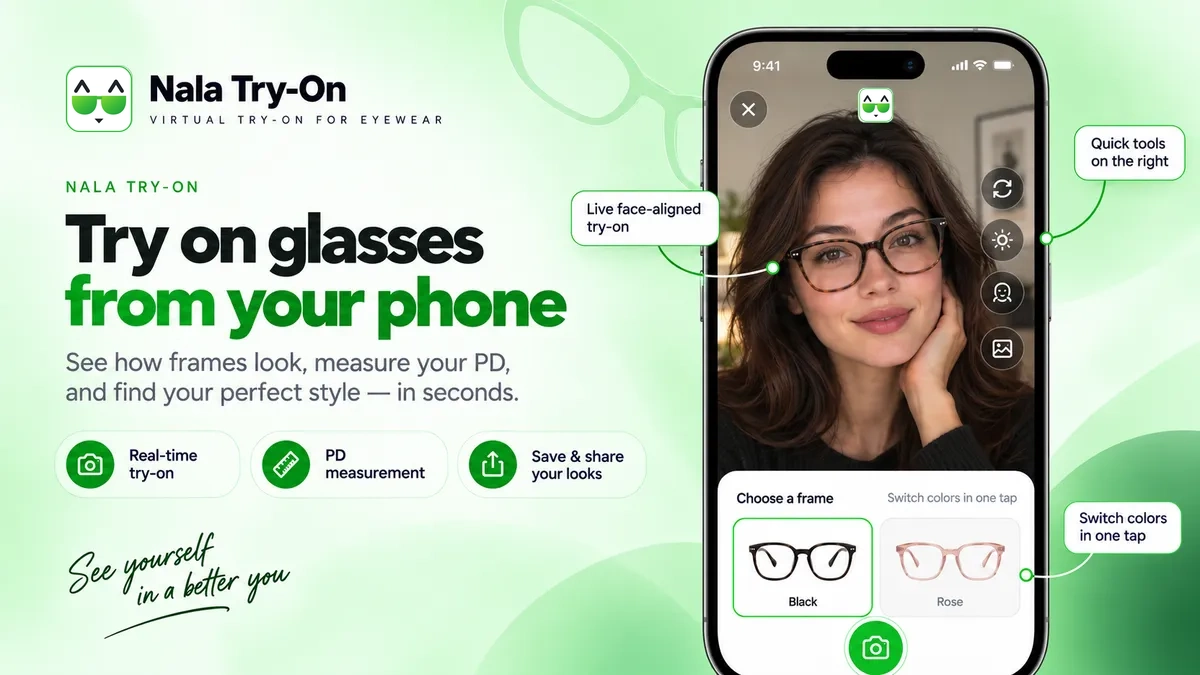
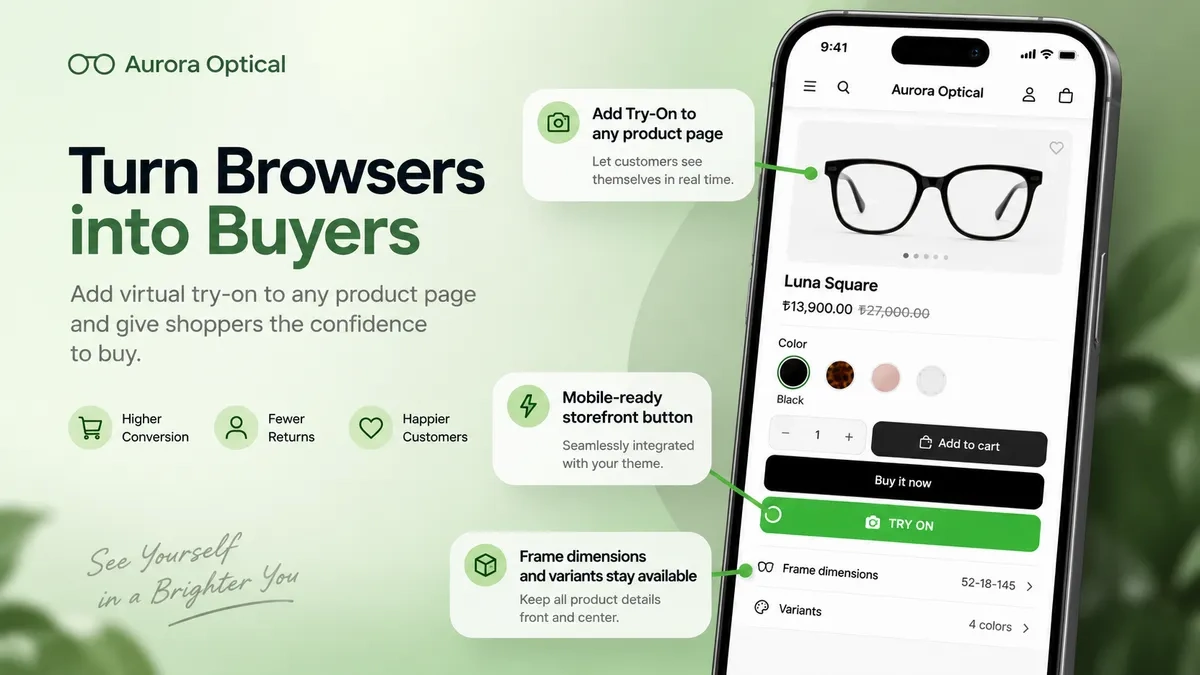
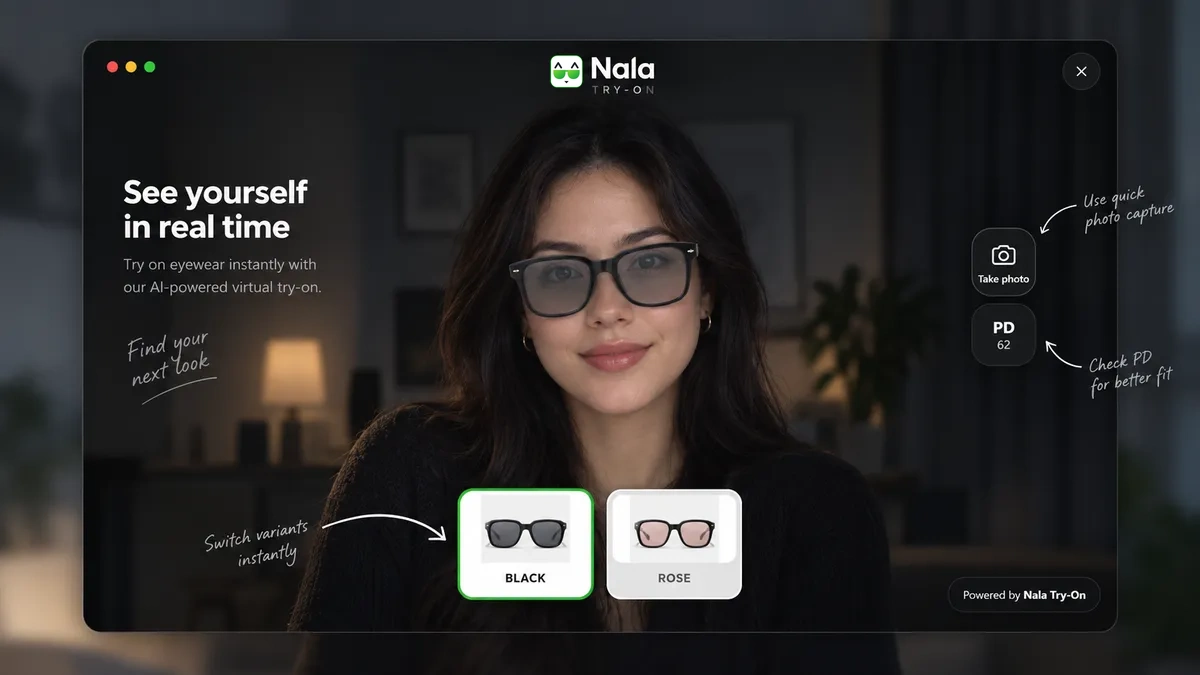
Shoppers point a camera and see the frames on their own face — or turn the product through 360° if they would rather not. All without leaving the product page.
What it looks like.
What the app does.
Camera try-on
The camera starts only when the shopper presses the button. Fit calibration and quick switching between frame variants are built in. Frames are processed in the browser and never uploaded anywhere.
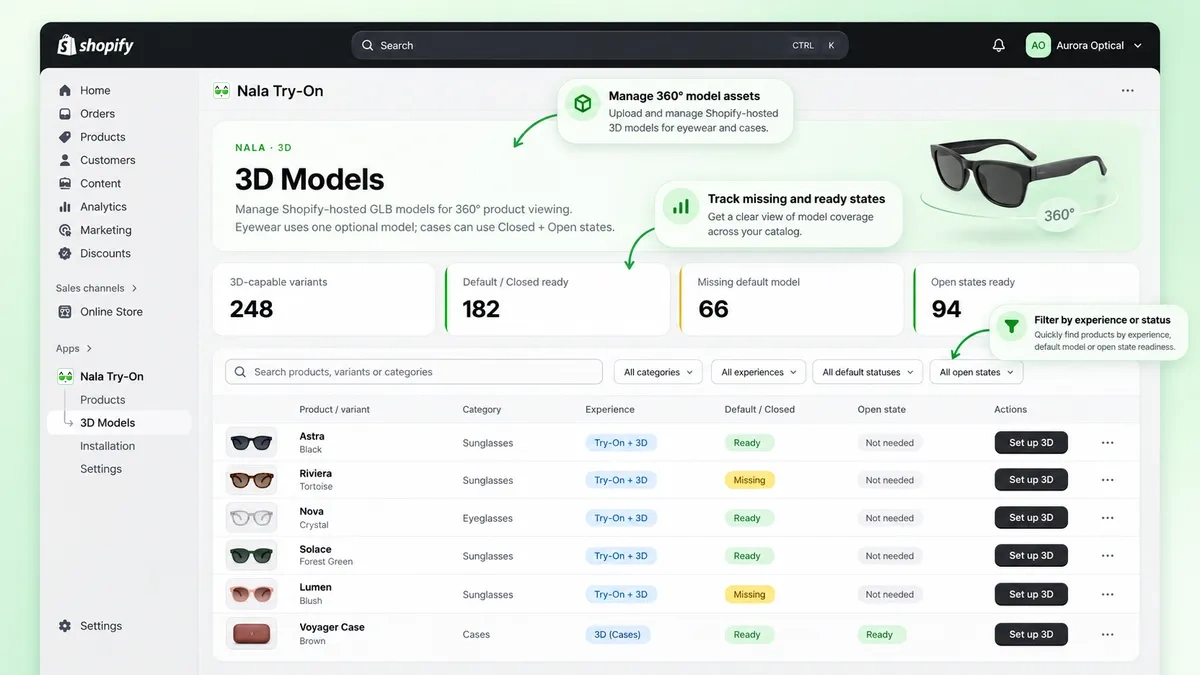
3D and 360°
An interactive GLB model turns right on the page. It works where there is no camera too — on a desktop computer, for instance.
Data stays in Shopify
Try-on images, 3D models, frame measurements and settings live in Shopify Files and the app's own metafields, not in a separate database somewhere else.
No theme code to edit
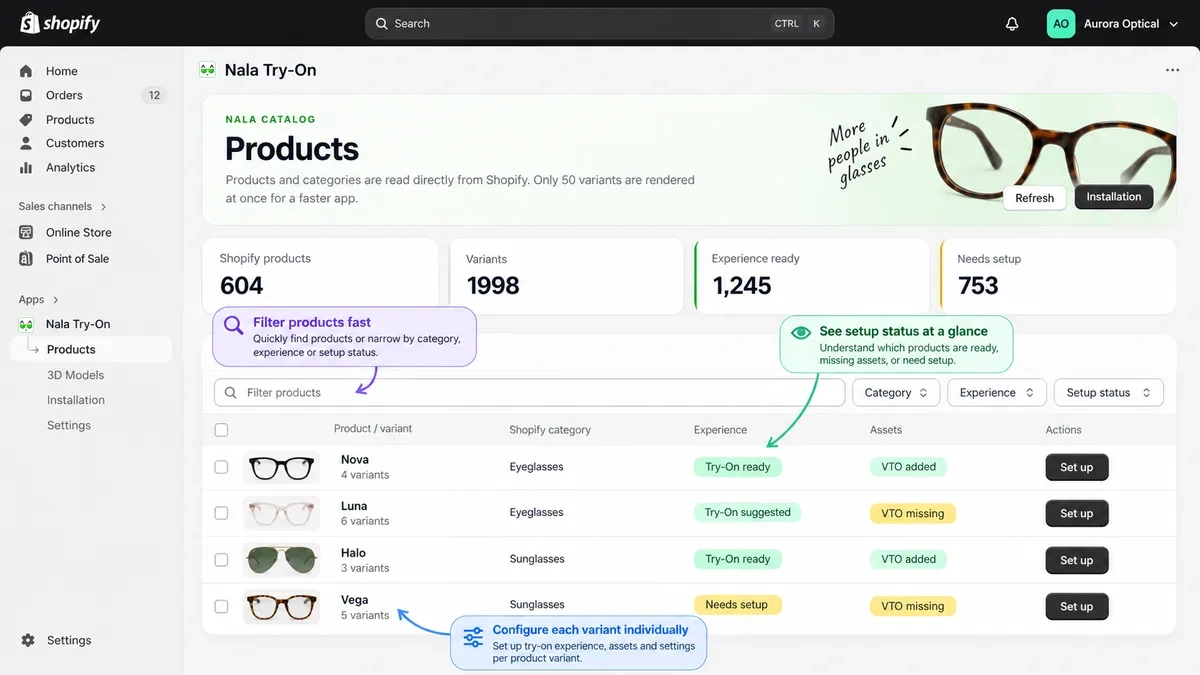
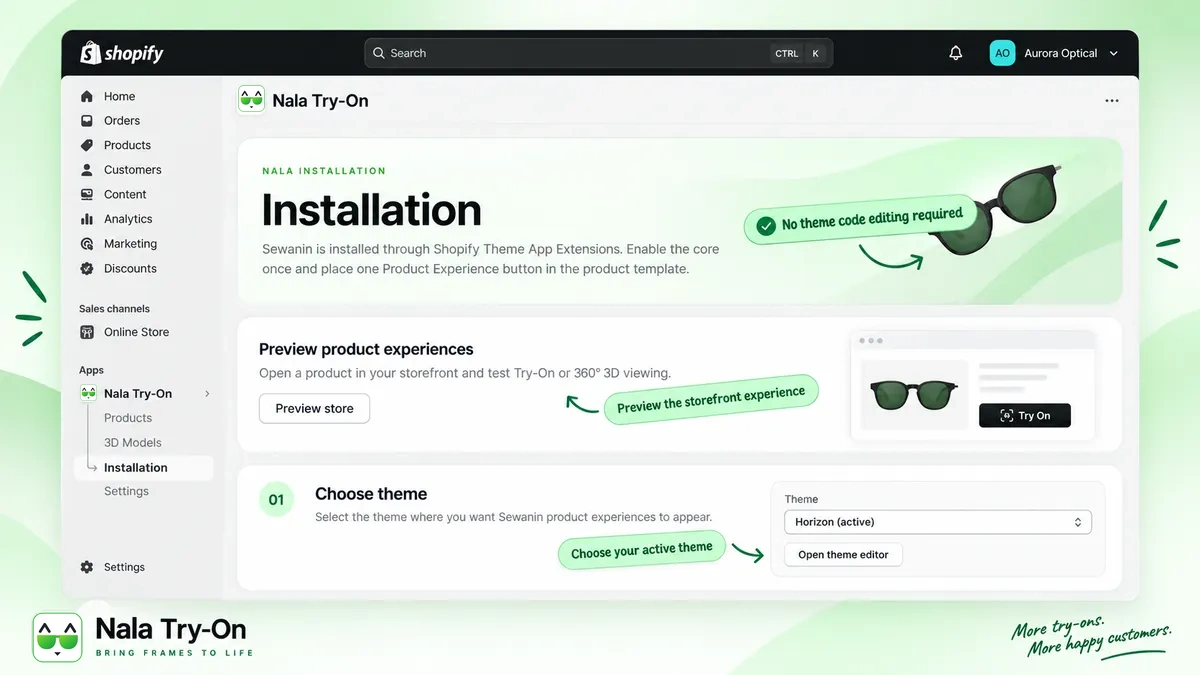
The product-page block is added through the theme editor. Everything else is configured in an app embedded inside your Shopify admin.
Setting it up.
Install
Install from the Shopify App Store, the same as any other app.
Theme block
Add the app block to the product page in the theme editor.
Product setup
Upload the try-on images, set the frame measurements, add a 3D model where you want one.
Go live
Try-on and 3D appear on the product page, ready for shoppers.
Price.
Starter
$19.99 per month
- Up to 50 active variants
- Virtual Try-On and interactive 3D
- Shopify product variant support
- Desktop and mobile storefronts
14-day free trial
Standard
$49.99 per month
- Up to 200 active variants
- Virtual Try-On and interactive 3D
- Shopify product variant support
- Desktop and mobile storefronts
14-day free trial
Pro
$99.99 per month
- Up to 500 active variants
- Virtual Try-On and interactive 3D
- Shopify product variant support
- Priority support
14-day free trial
Charged in USD every 30 days, through Shopify — nothing separate to sign.
Need more?
More than 500 variants, or an unusual setup? We agree terms one to one, unlimited included.
Questions people ask.
Do I have to edit theme code?
No. You switch the app embed on once and drop one block onto the product template in the theme editor.
Will it work with my theme?
Any current theme that supports app blocks, which means Online Store 2.0. If your theme is older, the block cannot be placed.
Do I need 3D models?
Not for eyewear. Try-on runs without them. A GLB model is optional and only adds the 360° view.
What do you need from me for each frame?
Three images on a transparent background, the front and both temples, plus the frame width in millimetres. That is what the fit is calculated from.
Where do the shopper photos go?
Nowhere. The camera runs entirely in the shopper's browser and no photo or video frame is ever uploaded to us. The try-on only downloads its 3D and face-tracking libraries — the shopper's image never leaves their device.
Where are my files and settings kept?
In Shopify Files and in the app’s own metafields on your products. There is no second database to keep in sync.
What if a shopper will not turn the camera on?
They still get the 360° view when a GLB model is uploaded, so the product page keeps working without a camera.
What language will my shopper see?
English, Russian or Kazakh. On Auto the try-on follows the language of your Shopify storefront.
How do I cancel?
From your Shopify admin, like any other app. The first 14 days are free.